There are two ways to report abusive content on pixeldrain: Through the report button on the download page, and through e-mail. For serious and urgent cases you should always use e-mail. The report button is meant for tip-offs, e-mail is for reporting serious TOS violations.
Report button#
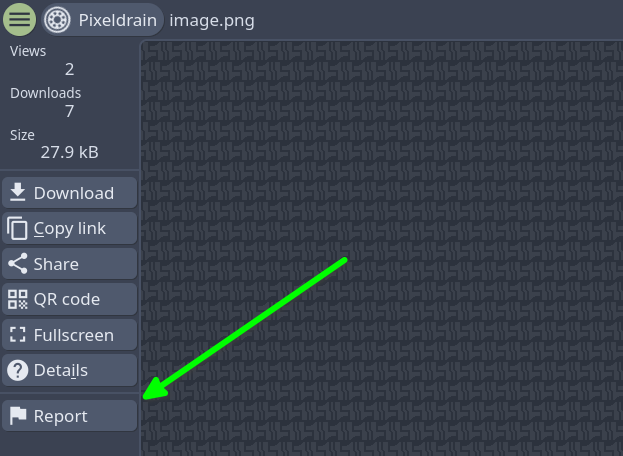
This button opens a form which allows you report either a single file, or all files in an album. Please include a clear description that explains why the file should be removed. If the description is not clear, your report will not be accepted.
You will not receive a reply to this report, because there is no place to enter contact information. This is a one-way street. You report, we review. Do not ask questions in the report form.
Abuse reports are reviewed roughly once a day. During holidays and busy periods this can be longer. For urgent matters you should submit an e-mail report instead.
E-Mail reporting#
To report files though e-mail you need to send a message to abuse@pixeldrain.com. The message must contain some specific content to be accepted:
-
Enter a subject line explaining what type of content the report is about and who it is from.
-
Explain who you are in the message.
-
Explain why the file breaks pixeldrain’s content policy. Include the specific name of the category listed here: disallowed contents.
-
Prove that you have the rights to remove this file. This means proving that you own the file, that you are depicted in it or that the file is illegal in the EU or USA.
-
Include the download links to the file in a clear and non-obfuscated manner. The reported download links need to be complete and valid. The links need to look like this:
- https://pixeldrain.com/u/abcd1234 for single file links
- https://pixeldrain.com/l/abcd1234 for album links
- https://pixeldrain.com/d/abcd1234 for directory links
If your message does not meet these rules, it will not be accepted. You will receive an automated reply explaining why your report was not accepted. Do not repeatedly send the same report, we will block your e-mail address.
Mailserver configuration#
Pixeldrain’s e-mail abuse handling process has been largely automated. Messages sent to abuse@pixeldrain.com are automatically scanned for pixeldrain links and processed. The first report we receive from a sender is manually reviewed. If the report is approved then your e-mail address will be added to our whitelist and all following messages are processed automatically. For this to work efficiently we have to set some requirements on the mails we receive:
-
Messages are categorized based on their contents. Make sure the report contains a description of the type of content and that it mentions one of the abuse categories listed above. The abuse mailbox only accepts reports written in English.
-
Do not add attachments to your e-mail reports. Only the e-mail body is checked for download links. The message scanning system will not check your attachments, download links within the attached files are not detected.
-
Do not obfuscate the pixeldrain links.
-
The e-mail must include a Message-ID header. The Message-ID is used to reference messages in our system, mails without a Message-ID are not processed. If you don’t know what a Message-ID is, don’t worry about it, nearly all e-mail clients include it in their sent messages.
-
The abuse system uses e-mail addresses for authentication so we need to be wary of message spoofing. To combat this we require both DKIM and SPF validation before we can accept e-mails. If either of these checks fail we assume the message was spoofed and it goes straight to the spambox. If your message is vulnerable to spoofing then the bot will not reply to your message because we don’t want to send e-mails to spoofed addresses.
-
Only send abuse reports to abuse@pixeldrain.com. Messages sent to any other e-mail address are ignored.
-
Do not repeatedly send reports about files which have already been removed in the past. We will block your e-mail address if this happens.
If you are not sure if your mailserver is configured correctly, then you can try the spam test at mail-tester.com. Send an e-mail to the address listed on this site and it will tell you if your mailserver is configured right. Pay attention to the SPF, DKIM and DMARC results.
If your abuse report is rejected for one of the above reasons then you will receive a reply with instructions on how to fix it.